AI-powered fuzzing with the GitHub Security Lab Taskflow Agent
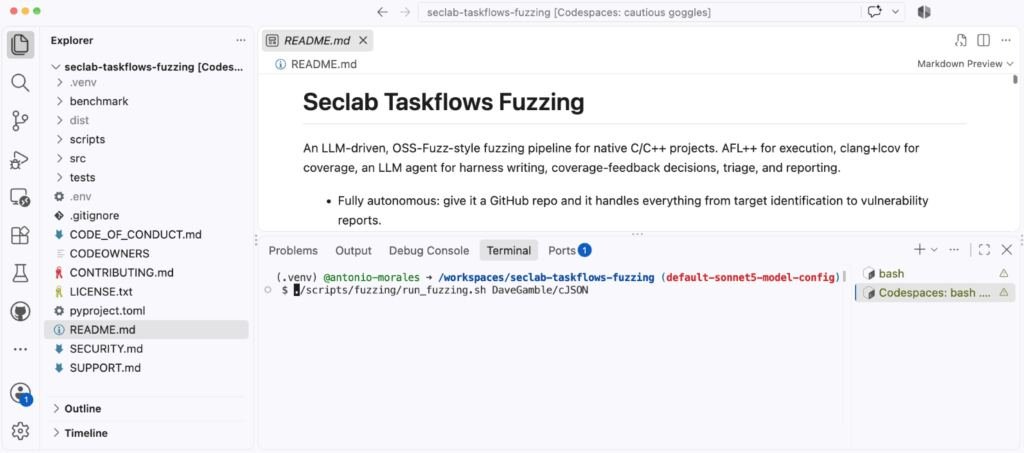
figure — if you’re new to fuzzing and want to learn the fundamentals first, check out our Fuzzing 101 course at gh.io/fuzzing101. Continuous fuzzing is not a magic solution that solves all your problems .
Even projects that have been enrolled in OSS-Fuzz for years can still hide critical bugs, and the reason is almost always the same: someone needs to keep an eye on coverage, write new harnesses for the code that nobody is reaching, and triage the crashes that come out the other end. In other words, fuzzing still needs a human in the loop. So the natural question I kept asking myself was: how much of that human work can we actually hand over to an LLM agent? That is what led me to build the Fuzzing Taskflow, an autonomous fuzzing pipeline for C/C++ projects. You only need to point it at a GitHub repository, and it does the rest: it identifies the suitable entrypoints, analyzes the build system, writes the harnesses, runs AFL++, reads the coverage reports, improves the harnesses, triages every crash, and writes a vulnerability report for each unique bug, all without a human babysitting it. The Fuzzing Taskflow is built on top of the GitHub Security Lab Taskflow Agent, our framework for writing LLM-driven security automation, so the pipeline is expressed as a set of taskflows that an agent runs end to end. In this post, I’ll walk you through how it works and the design decisions behind it. Let’s get going! How to run it The simplest way to run it’s just to go to https://github.com/GitHubSecurityLab/seclab-taskflows-fuzzing and start a codespace. Then, run the script like this: ./scripts/fuzzing/run_fuzzing.sh PROJECT So, for example: ./scripts/fuzzing/run_fuzzing.sh tukaani-project/xz That’s it. The argument is just a GitHub owner/repo slug. Then, the agent, takes care of all the preliminary steps on its own: Installing software such as AFL Cloning the repository Identifying the most relevant functions in the code Creating fuzz targets for those functions If you just want a quick smoke test before committing to a long campaign, point it at something small: ./scripts/fuzzing/run_fuzzing.sh DaveGamble/cJSON A word of warning before you run it: this taskflow runs afl-fuzz, clang, and arbitrary build commands chosen by the LLM directly on the host, with no container in between. A prompt-injected agent could, in principle, do anything your user can. So please run it only inside a disposable environment (e.g., a Codespace or a throwaway VM), without elevated privileges. Model selection Some frontier models impose security guardrails on their outputs.